Power BI & Data Analytics
Turn the data you already have into answers, not more spreadsheets.
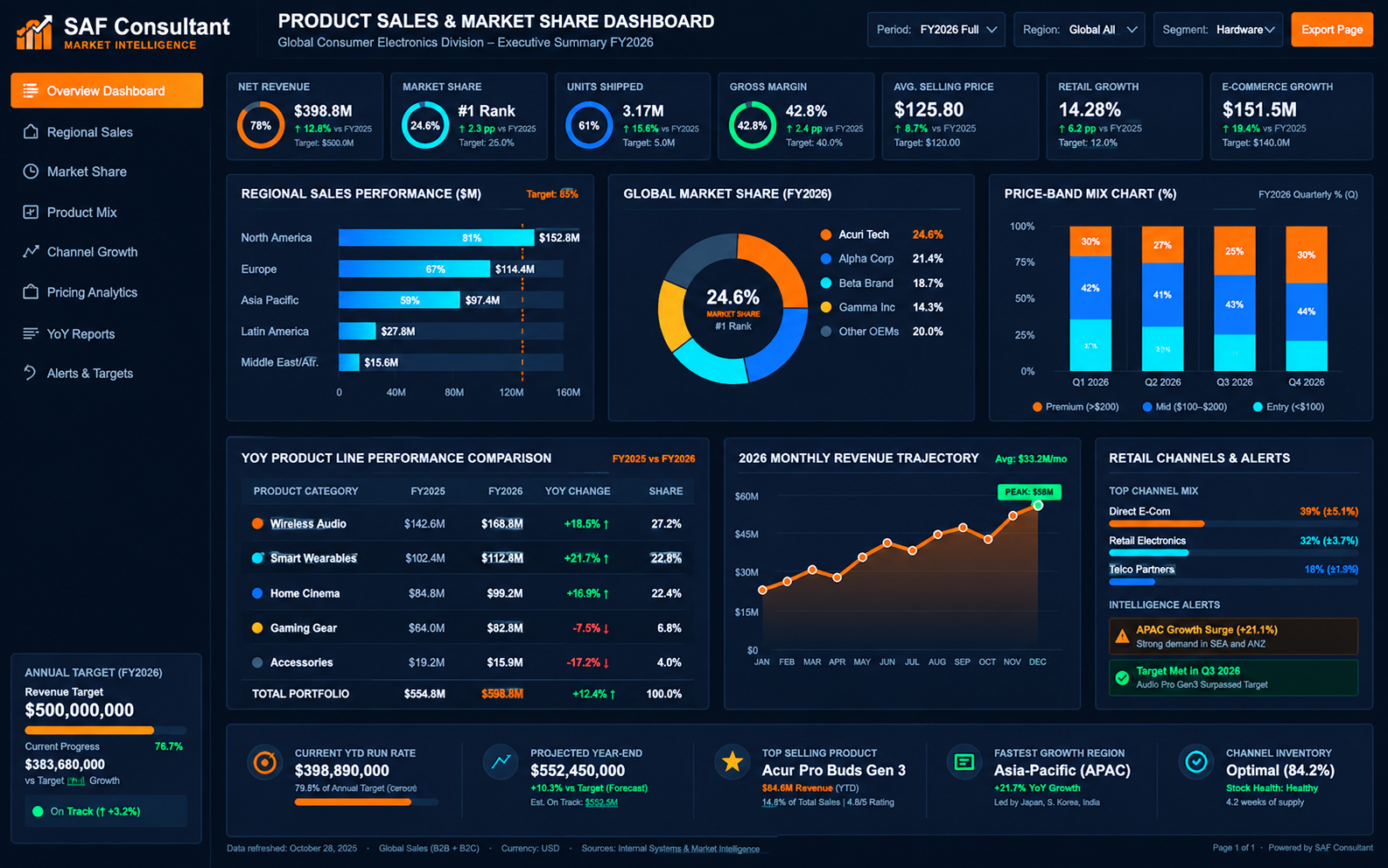
Whether your numbers live in QuickBooks, Excel, SQL or somewhere else entirely, we build Power BI or Tableau dashboards around the actual decisions you need to make, not a generic template full of charts nobody asked for.
The problem isn't a lack of reports
- A monthly report lands in your inbox as a spreadsheet, and it takes an hour to read and still doesn't answer the question you had.
- Cash flow surprises happen because nobody can see money coming in and going out side by side, in one place.
- Your data lives in three different systems and never actually talks to each other.
We start by figuring out what you actually need to know, then connect the data sources behind it. The dashboard gets built around that question, with filters and drill downs so you can explore it yourself instead of requesting a new version every time something changes. You get a walkthrough at the end so your team actually uses it, instead of it sitting there unopened. If your data is scattered across QuickBooks, Excel files and a database that nobody fully understands anymore, that's a normal starting point, not a blocker.
Cash flow dashboards
Money in and money out over time, so you can spot tight months before they arrive.
P&L dashboards
Revenue, expenses and margin by month, category or department, with period comparisons.
AR aging
Who owes you, how much and how long it's been outstanding.
Business performance & KPIs
The handful of numbers that matter for your business, in one view.
Tableau dashboards
Interactive Tableau views for teams that already work in Tableau.
Excel & SQL reporting
Cleaner Excel reports and SQL queries that pull the right numbers together.
Our process
How we work
- 01
Questions first
We agree what you need to know before choosing charts.
- 02
Connect data
We connect QuickBooks, Excel, SQL or other sources.
- 03
Build & review
A first version to react to, then refinements.
- 04
Hand over
Training and support so the dashboards get used.
Need a system built around your business?
Explore a related Nedd Digital solution.